Code Reviews: The Career Accelerator Nobody Talks About

The Hidden Career Multiplier

I’ve watched brilliant engineers plateau because they treated code reviews like mandatory paperwork. Meanwhile, their peers who understood the real game were quietly building reputations, expanding their influence, and landing the opportunities everyone else wondered how they got. Code reviews aren’t just about catching bugs. They’re your most accessible lever for career advancement, disguised as a development process.

Code Reviews: The Career Accelerator Nobody Talks About

Think about it: where else do you get regular, direct exposure to senior engineers, architects, and decision-makers across your organization? Code reviews are the only recurring meeting where your technical judgment is on display to people who matter for your career trajectory. Yet most engineers approach them with the enthusiasm of filling out tax forms.

The engineers who get this understand that every review is a chance to show technical depth, communication skills, and business judgment. They know that the person approving their pull request today might be the one recommending them for a promotion tomorrow. The quality of your code reviews becomes part of your professional brand, whether you realize it or not.

Illustration for Code Reviews: The Career Accelerator Nobody Talks About

Writing Reviews That Build Your Reputation

Good reviewers are remembered. Great reviewers are sought after. When I see a thorough, insightful review from someone, I start paying attention to their other work. When I need someone for a tough project, those names come to mind first. This isn’t coincidence, it’s pattern recognition based on proven competence.

The best reviews I’ve seen don’t just point out problems. They explain the why behind their feedback, suggest specific improvements, and often include links to documentation or examples. Instead of “This could be more efficient,” they write “Consider using a hash map here instead of linear search. For the data sizes we’re expecting, this reduces complexity from O(n) to O(1).” The difference in perceived expertise is night and day.

Strategic reviewers also understand the importance of positive feedback. Commenting on elegant solutions, clever optimizations, or good test coverage isn’t just being nice. It shows you can recognize quality work and understand what good looks like. Senior engineers notice when someone consistently identifies both problems and strengths.

The most career-savvy reviewers I know have a signature style. Maybe they’re known for catching edge cases others miss, or for explaining complex architectural decisions clearly, or for always having security considerations top of mind. They’ve identified a niche where they consistently add unique value, and their reputation builds around that expertise.

Receiving Reviews Like a Professional

How you handle feedback reveals more about your professional maturity than almost anything else. I’ve seen promising careers derail because someone couldn’t take criticism gracefully. On the flip side, I’ve watched junior developers earn respect and fast-track promotions by responding to feedback with curiosity and gratitude.

The best engineers I’ve worked with treat code review feedback like free consulting from experts. They ask follow-up questions, request clarification on unfamiliar concepts, and often implement suggestions that go beyond the minimum required changes. When someone suggests a better approach, they don’t just make the change, they understand the principle behind it and apply it elsewhere.

There’s an art to pushback, too. Sometimes reviewers are wrong, miss context, or suggest changes that don’t align with project constraints. Professional developers know how to disagree respectfully, provide context, and find collaborative solutions. They frame disagreements as “helping the reviewer understand the situation better” rather than defending their original approach.

Smart engineers also learn to read between the lines. When a senior engineer suggests a particular pattern or approach, they often dig deeper to understand the broader architectural philosophy at play. These conversations frequently turn into mentoring opportunities that extend far beyond the immediate code change.

The Meta-Game of Review Culture

Every team has unwritten rules about code reviews, and figuring them out quickly separates the politically astute from the oblivious. Some teams prioritize speed and prefer lightweight reviews. Others have thorough, discussion-heavy processes. Some senior engineers appreciate detailed explanations in pull request descriptions, while others prefer concise summaries with good commit messages.

Pay attention to who reviews whose code, and how different people structure their feedback. Notice which types of comments generate productive discussions versus those that get dismissed or create friction. The most successful engineers I know adapt their review style to their audience while maintaining their core standards.

There’s also timing strategy involved. Being one of the first reviewers on a complex pull request often leads to more substantial technical discussions. Contributing meaningful feedback early in the process positions you as someone who’s actively engaged with the codebase and thinking ahead. However, reviewing too quickly without sufficient depth can backfire if you miss issues that other reviewers catch.

Building Systems That Scale Your Influence

Advanced practitioners use code reviews to drive broader technical improvements across their organization. They identify patterns in the feedback they’re giving and turn those into team guidelines, documentation, or tooling improvements. Instead of commenting about the same anti-pattern repeatedly, they create automated checks or write wiki pages that prevent the issue systematically.

The engineers who become technical leaders often start by being the person who notices when multiple teams are solving similar problems differently. They use code reviews as intelligence gathering, then propose solutions that help everyone. This kind of systems thinking is exactly what engineering managers and directors are looking for when they’re identifying future leaders.

Some of the best career moves I’ve seen started with someone consistently giving high-quality feedback across multiple teams, then being asked to help establish code review standards or mentor other engineers on best practices. Once you’re known as someone who elevates the work of others, opportunities to take on technical leadership responsibilities tend to follow naturally.

Code reviews are happening whether you approach them strategically or not. The difference is whether you’re passively participating in a process or actively building your reputation and advancing your career. What patterns have you noticed in the code review cultures at different companies? I’d love to hear about approaches that have worked particularly well for you or your teams.

Solid.js Is the Framework You Should Have Been Using All Along

The Framework That Actually Learns From History

After watching React struggle with concurrent features for three years and Vue wrestle with its composition API identity crisis, I’ve been quietly building production applications with Solid.js. While everyone debates hydration strategies and mental models, Solid quietly shipped the reactive system we’ve all been reinventing in increasingly complex ways.

Solid.js Is the Framework You Should Have Been Using All Along

Solid isn’t trying to be the next shiny thing. Created by Ryan Carniato, who spent years working on reactive systems, it’s what happens when someone actually understands the problems we’ve been solving poorly with virtual DOMs and reconciliation algorithms. The syntax feels familiar enough that your team won’t revolt, but the architecture underneath is genuinely different in ways that matter.

I’ve shipped Solid apps that clock in at 12KB gzipped while React equivalents hit 45KB before you add a single dependency. The performance characteristics aren’t just benchmarks that look good in demos. They translate to real user experience improvements, especially on mobile devices where every kilobyte and every millisecond counts.

Illustration for Solid.js Is the Framework You Should Have Been Using All Along

True Reactivity Without the Framework Tax

The core insight behind Solid is embarrassingly simple: what if updates only touched the parts of the DOM that actually changed? No virtual DOM reconciliation. No diffing algorithms. No mysterious re-renders that require useCallback and useMemo incantations to avoid performance cliffs.

When you write `const [count, setCount] = createSignal(0)` in Solid, you’re creating a reactive primitive that directly updates any DOM nodes that depend on it. Change the signal, and only the specific text node displaying the count updates. Your component function runs once during compilation, not on every state change. This isn’t marketing speak about fine-grained reactivity. It’s a fundamentally different execution model.

The mental model shift is smaller than you’d expect. JSX looks identical to React. Component composition works the same way. The lifecycle hooks have different names but work for familiar purposes. Your muscle memory from React transfers almost completely, which means onboarding existing teams isn’t the political nightmare you’re imagining.

Where things get interesting is when you realize you can stop thinking about optimization. No more splitting components to prevent unnecessary renders. No more carefully placed memo wrappers. No more debugging why your perfectly reasonable code is somehow causing the entire page to re-render. Solid’s reactive system is precise enough that these problems simply don’t exist.

Developer Experience That Doesn’t Assume You’re Stupid

Solid’s TypeScript integration is what React’s should have been from the beginning. Generic components work without contortions. Props are properly typed without requiring separate interface definitions. The compiler errors actually point to the line where you made the mistake instead of some internal framework location you’ve never heard of.

The debugging experience deserves special mention. Solid’s dev tools show you the reactive dependency graph in real time. When something updates unexpectedly, you can trace exactly which signal triggered which computation. Compare this to React’s profiler, which tells you that something re-rendered but good luck figuring out why.

Hot reload works reliably because Solid’s compilation model is predictable. Unlike React’s fast refresh, which sometimes decides your component is too complex and forces a full page reload, Solid preserves state consistently. This might sound trivial until you’re deep in a complex UI state and lose your work for the fifteenth time because hot reload gave up.

The ecosystem is smaller but focused. Instead of thirty competing solutions for every problem, there are usually one or two well-designed options. The documentation assumes you know how to program and doesn’t waste time explaining what a function is. Error messages include context instead of cryptic references to framework internals.

Production Reality Check

I’ve been running Solid in production for eighteen months across four different applications. The bundle sizes stay small even as features accumulate. Performance remains consistent under load. The deployment story is straightforward because there’s no server-side rendering complexity unless you specifically opt into it.

The biggest operational advantage is predictability. React applications develop performance problems over time as components accumulate and optimization becomes increasingly complex. Solid applications maintain their performance characteristics because the reactive system doesn’t degrade with scale. The component that ran efficiently on day one will run efficiently on day five hundred.

Memory usage patterns are notably better. React’s virtual DOM creates garbage collection pressure that becomes problematic in long-running applications. Solid’s direct DOM manipulation doesn’t accumulate cruft. Your application’s memory footprint grows with actual feature complexity, not framework overhead.

The compilation model means fewer runtime surprises. React’s reconciliation algorithm makes decisions at runtime that can vary based on timing and component structure. Solid makes these decisions at compile time, which means the behavior you see in development is the behavior you get in production.

Why This Matters Now

The frontend framework space has been consolidating around React for years, but that consolidation is creating problems. Teams are spending increasing amounts of time fighting React’s complexity instead of building features. Bundle sizes are growing. Performance optimization requires increasingly specialized knowledge. The developer experience is getting worse, not better.

Solid represents a different path. It’s mature enough for production use but still small enough that individual contributions matter. The architectural decisions were made by someone who understands the historical problems instead of someone trying to capture market share. The result is a framework that feels like it was designed for developers who actually have to maintain the code they write.

The adoption curve isn’t steep because the syntax is familiar. The performance benefits are immediate because the reactive system works differently. The long-term maintainability improves because the mental model is simpler. These aren’t theoretical advantages. They’re practical improvements you’ll notice in your daily workflow.

If you’re starting a new project or evaluating framework alternatives, Solid deserves serious consideration. Try building something small with it. Pay attention to how the reactive system feels compared to what you’re used to. Notice how the bundle size compares to equivalent React builds. See if the development experience matches the promises.

I’d be curious to hear about your experiences if you decide to give Solid a try, especially if you run into edge cases or architectural decisions that don’t translate cleanly from other frameworks. The community is still small enough that real-world feedback shapes the direction of the project.

Cloud Bills Don’t Have to Break Your Budget: A Gentle Introduction to Cost Optimization

Why Your Cloud Bill Looks Like a Phone Number

Three months into your first cloud deployment, you open the billing dashboard and wonder if there’s been some cosmic accounting error. That modest web application you launched is somehow consuming enough resources to fund a small space program. Welcome to the club of engineers who’ve learned that cloud providers are exceptionally good at making it easy to spend money and surprisingly creative about where they hide the charges.

Cloud Bills Don't Have to Break Your Budget: A Gentle Introduction to Cost Optimization
Cloud Bills Don’t Have to Break Your Budget: A Gentle Introduction to Cost Optimization

The beautiful irony of cloud computing is that its greatest strength is also its most dangerous feature. You can spin up a database cluster with more computing power than mission control had during the Apollo missions, and it takes exactly three clicks. No purchase orders, no waiting weeks for hardware, no explaining to procurement why you need another server. Just click, deploy, and start bleeding money at a rate that would make a Las Vegas casino jealous.

But here’s what took me years to figure out: most of those eye-watering bills come from a handful of preventable mistakes. The cloud isn’t inherently expensive. It’s just really good at making poor decisions expensive fast. Once you understand the basic patterns behind cost optimization, you can build systems that scale efficiently without needing a dedicated finance team to decode your architecture.

Illustration for Cloud Bills Don't Have to Break Your Budget: A Gentle Introduction to Cost Optimization
Illustration for Cloud Bills Don’t Have to Break Your Budget: A Gentle Introduction to Cost Optimization

The Three Pillars of Not Going Broke

Cost optimization rests on three core principles that every engineer should learn before writing their first infrastructure-as-code template. First, right-sizing means matching your resource allocation to your actual usage patterns. Second, scheduling means running resources only when you need them. Third, storage optimization means using the right storage tiers for your data lifecycle. Master these three concepts and you’ll avoid roughly 80% of the billing surprises that catch new cloud engineers off guard.

Right-sizing is where most people start bleeding money. Cloud providers offer dozens of instance types, each optimized for different workloads. The temptation is to pick something in the middle and call it good, but that’s like buying a pickup truck because you occasionally need to move furniture. Your web API probably doesn’t need 32 CPU cores and 256GB of RAM, even if that instance type has a reassuringly enterprise-sounding name.

The scheduling principle recognizes that not everything needs to run 24/7. Your development environments probably don’t need to be available at 3 AM on Sunday. Your batch processing jobs can run during off-peak hours when compute costs are lower. Your staging databases can sleep peacefully until the next deployment. Building shutdown schedules into your infrastructure from day one prevents the slow accumulation of zombie resources that everyone forgets about until the next budget review.

Starting With the Low-Hanging Fruit

Your first cost optimization project should target the obvious waste before diving into complex architectural changes. Begin with a simple audit of running resources. Set up billing alerts so you get notifications before your monthly spend reaches uncomfortable territory. Most cloud providers offer free monitoring tools that can identify idle resources, oversized instances, and orphaned storage volumes. Think of this as turning off lights when you leave the room, except each light costs several hundred dollars per month.

Resource tagging deserves special attention because it’s boring enough that most people skip it, but important enough that you’ll regret not doing it later. Tag everything with at least an owner, environment, and project identifier. This simple practice transforms your billing dashboard from an incomprehensible spreadsheet into a useful tool for identifying which teams and projects are driving costs. When you can see that your machine learning experiment from six months ago is still running three GPU instances, the path forward becomes clear.

Storage often represents the most straightforward optimization opportunity for new cloud users. Object storage providers offer multiple tiers with dramatically different pricing. Your application logs from last year probably don’t need to be stored in the same high-performance tier as your current user uploads. Setting up lifecycle policies that automatically move data to cheaper storage tiers as it ages can reduce storage costs by 70% or more with minimal effort.

Building Smart Defaults Into Your Infrastructure

The most effective cost optimization happens at the infrastructure layer, where good decisions get baked into your deployment process rather than depending on individual engineers to remember best practices. Infrastructure-as-code templates should include sensible defaults for instance sizes, auto-scaling policies, and resource cleanup procedures. When your deployment pipeline automatically provisions appropriately-sized resources and includes mechanisms for shutting down unused environments, cost control becomes a natural result of good engineering rather than an extra burden.

Auto-scaling is one of the most powerful tools in your cost optimization arsenal, but it needs careful tuning to avoid both under-provisioning and over-provisioning scenarios. Start with conservative scaling policies that prioritize stability over absolute efficiency. You can always optimize for more aggressive scaling once you understand your application’s behavior patterns. The goal is to handle traffic spikes without maintaining permanently oversized infrastructure for peak loads that occur 5% of the time.

Container orchestration platforms like Kubernetes offer sophisticated resource management capabilities, but they also introduce complexity that can backfire if not properly configured. Begin with simple resource requests and limits for your containers, then gradually implement more advanced features like horizontal pod autoscaling and cluster autoscaling as your understanding improves. The learning curve is steep, but the payoff in both cost efficiency and operational reliability makes it worth the investment.

Making Optimization a Habit Rather Than a Crisis Response

The most successful cost optimization programs treat efficiency as an ongoing engineering practice rather than a quarterly fire drill. Work cost reviews into your regular architecture discussions. Build cost impact assessments into your change management process. Create dashboards that make resource utilization visible to the entire team. When cost consciousness becomes part of your engineering culture, optimization happens continuously rather than in reactive bursts triggered by budget overruns.

Monitoring and alerting systems should track both technical metrics and cost metrics with equal priority. Set up alerts for unusual spending patterns, not just system failures. A sudden spike in data transfer costs might indicate a misconfigured backup process or a runaway batch job. An unexpected increase in database costs might suggest inefficient queries or missing indexes. These cost-based alerts often catch problems before they impact user experience.

The cloud billing landscape continues evolving rapidly, with new pricing models, reserved capacity options, and optimization tools appearing regularly. What worked six months ago might not be optimal today. Subscribe to your cloud provider’s cost optimization newsletters, attend their webinars, and allocate time for periodic reviews of your optimization strategies. The investment in staying current pays off in both cost savings and architectural improvements.

Cost optimization isn’t about penny-pinching or compromising system reliability. It’s about building systems that scale efficiently and understanding the economic implications of your technical decisions. Start with the basics, build good habits into your processes, and gradually tackle more sophisticated optimization techniques as your expertise grows. If you’ve got specific optimization challenges or want to share your own cost-saving discoveries, I’d love to hear about them in the comments below.

Why Svelte Is The Frontend Framework Senior Engineers Are Quietly Adopting

The Framework Wars Have a Dark Horse

After watching React dominate the conversation for nearly a decade while Angular pivoted from hero to zero to grudging acceptance, and Vue carved out its “approachable” niche, I’ve noticed something interesting happening in our industry. Senior engineers are quietly shipping production applications with Svelte, and they’re doing it with a level of satisfaction I haven’t seen since the early days of React. Not the excited buzz of junior developers discovering their first JavaScript framework, but the measured appreciation of someone who’s spent enough nights debugging hydration mismatches to recognize genuine architectural elegance.

Why Svelte Is The Frontend Framework Senior Engineers Are Quietly Adopting

Svelte isn’t new anymore. Rich Harris introduced it in 2016, and it’s been steadily maturing while the rest of us argued about whether hooks were better than classes. What’s changed is that Svelte has quietly solved problems we’ve been working around for so long that we forgot they were problems. When you’ve spent years optimizing bundle sizes, wrestling with virtual DOM reconciliation performance, and explaining to product managers why the initial page load takes three seconds, Svelte’s compile-time approach starts looking less like a curiosity and more like the obvious next step.

The numbers tell part of the story. Svelte consistently ranks highest in developer satisfaction surveys, but more importantly, teams that adopt it report shipping faster and maintaining their applications with less overhead. This isn’t about developer experience points or conference talk material. This is about getting home before your kids go to bed because your build pipeline isn’t fighting you every step of the way.

Illustration for Why Svelte Is The Frontend Framework Senior Engineers Are Quietly Adopting

Compile-Time Magic That Actually Works

The idea behind Svelte is almost embarrassingly simple: instead of shipping a framework to the browser and doing the work there, do the work at build time and ship optimized vanilla JavaScript. When you write a Svelte component, the compiler analyzes your code, identifies exactly which parts can change, and generates surgical update instructions. No virtual DOM diffing, no runtime reconciliation overhead, no framework bundle tax.

I’ve been in enough performance post-mortems to appreciate what this means in practice. That React application that’s loading 200kb of framework code before it can render a single pixel? Svelte applications routinely come in under 50kb for the entire application. The difference isn’t just academic when you’re serving users on 3G connections or trying to hit Core Web Vitals targets that actually matter for SEO.

The compile-time approach goes beyond just size optimization. Svelte can catch more errors at build time because it understands your component structure and data flow in ways that runtime frameworks simply can’t. When you misspell a prop name or reference a variable that doesn’t exist, you find out during development, not when your user clicks a button in production and nothing happens.

Component Architecture Without the Ceremony

Writing components in Svelte feels like what React might have been if it had been designed today, with years of lessons learned about what developers actually need. The single-file component format puts your HTML, CSS, and JavaScript in one place without feeling cramped, and the reactive syntax is intuitive enough that you can hand a Svelte component to a designer who knows basic JavaScript and they’ll understand what’s happening.

The state management story is particularly elegant. Instead of reaching for Redux or Zustand or the state management library of the week, Svelte gives you reactive statements that just work. When you write `$: doubled = count * 2`, the compiler ensures that `doubled` updates whenever `count` changes. No hooks dependencies array, no useEffect cleanup functions, no mental overhead tracking when things should re-render. You write code that looks like what you mean, and it behaves like what you wrote.

Scoped CSS deserves special mention here. Every Svelte component gets its own CSS scope automatically, which means you can write normal CSS without worrying about naming conflicts or cascade issues. After years of CSS-in-JS solutions that feel like solving the wrong problem, or CSS modules that require constant mental mapping between class names and actual styles, being able to just write `.button { background: blue; }` and know it won’t affect any other component is liberating.

SvelteKit Completes the Picture

Framework fatigue is real, and a big part of it comes from the endless decisions you have to make just to get a project started. Which router? Which build tool? How do you handle server-side rendering? How do you deploy it? SvelteKit answers these questions with sensible defaults and a cohesive architecture that actually works together instead of feeling like five different libraries wearing a trench coat.

The file-based routing system will be familiar to anyone who’s used Next.js, but SvelteKit’s approach to data loading and server-side rendering feels more principled. Instead of a maze of getStaticProps and getServerSideProps functions with subtly different behaviors, you get load functions that run on the server during SSR and on the client for navigation. The mental model is simpler, and the edge cases are fewer.

SvelteKit’s adapter system is genuinely clever. The same codebase can be deployed as a static site, a Node.js application, or serverless functions, depending on which adapter you choose. This means you can start with static hosting for simplicity and move to server-side rendering later without rewriting your application. I’ve seen too many teams paint themselves into architectural corners because they optimized for their current hosting situation instead of building for flexibility.

The Production Reality Check

All of this sounds great in theory, but what about in practice? I’ve been running Svelte applications in production for over two years now, and the experience has been remarkably smooth. The applications are fast, the bundle sizes stay manageable as features accumulate, and the debugging experience is straightforward because there’s less framework magic between your code and what actually runs in the browser.

The ecosystem isn’t as vast as React’s, but it’s mature enough for serious work. The component libraries exist, the testing tools work well, and the TypeScript support is excellent. What you lose in ecosystem breadth, you gain back in simplicity and performance. When your framework isn’t fighting you, you spend less time researching solutions to problems that shouldn’t exist in the first place.

The hiring story is becoming less of an issue as more developers gain Svelte experience, and honestly, any senior developer who understands modern JavaScript can be productive with Svelte within a few days. The concepts translate directly, and there’s less framework-specific knowledge to acquire compared to the React ecosystem’s endless parade of hooks patterns and optimization techniques.

If you’re planning a new project and you’re tired of the complexity tax that modern frontend development has accumulated, Svelte deserves serious consideration. It won’t solve every problem, but it will get out of your way and let you focus on building the application instead of fighting the framework. And sometimes, that’s exactly what you need to ship something great.

Container Orchestration for the Uninitiated: Your First Steps Beyond Docker Compose

Why Your Docker Compose Setup Will Eventually Betray You

Let me paint you a familiar picture. You’ve conquered Docker, written some decent compose files, and everything runs beautifully on your laptop. Your containers spin up, talk to each other through networks with names like “myapp_backend,” and you feel pretty good about yourself. Then production happens.

Container Orchestration for the Uninitiated: Your First Steps Beyond Docker Compose

Suddenly your single-node setup becomes a complete disaster. A server restart kills your entire application. Scaling means SSH-ing into boxes and manually running docker commands like some caveman from 2015. Your “monitoring” consists of occasionally running `docker ps` and crossing your fingers that everything looks normal. This is when most developers realize they need container orchestration, usually while staring at a Slack channel full of increasingly panicked messages about the site being down.

Container orchestration isn’t just Docker with extra steps. It’s a completely different way of thinking about running applications that treats infrastructure as cattle, not pets. Instead of babysitting individual containers, you declare what you want and let the orchestrator figure out how to make it happen. When it works, it’s like having a really competent ops person who never sleeps, never takes vacation, and never accidentally runs `rm -rf` in the wrong directory.

Start With Kubernetes, But Not How You Think

Everyone will tell you to start with Kubernetes because it’s the “industry standard.” They’re right, but they’re also setting you up for weeks of YAML-induced suffering if you jump straight into the deep end. Instead of diving into multi-node clusters and complex networking, start with a local Kubernetes setup that actually works. Use Docker Desktop’s built-in Kubernetes or install k3s on your machine. The goal isn’t to build production infrastructure yet. It’s to understand how orchestration thinks differently about applications.

Your first Kubernetes deployment should be embarrassingly simple. Take that web app you built for your compose tutorial and convert it to a single Deployment and Service. Don’t worry about ConfigMaps, Secrets, Ingress controllers, or any of the other hundred resources Kubernetes offers. Just get a pod running and reachable. You’ll quickly discover that Kubernetes has very strong opinions about how applications should behave, and these opinions will save you from yourself later.

The real education happens when you break things on purpose. Kill pods and watch them come back to life. Scale your deployment up and down. Update your image and watch Kubernetes perform a rolling update without dropping connections. This is where the magic becomes real. Your application stops being just a collection of containers. It becomes a desired state that the system actively maintains.

Build Your First Real Workload: A Stateless API

For your first production-ready deployment, choose something stateless and boring. A REST API that reads from a database works perfectly. Stateless applications are orchestration’s best friend because they can be created, destroyed, and moved around without anyone caring. They’re also much harder to break catastrophically, which is exactly what you want when you’re learning.

Start with a Deployment that runs multiple replicas of your application. Configure resource requests and limits because your containers will eventually fight over CPU and memory, and you want to be explicit about expectations. Add readiness and liveness probes so Kubernetes knows when your application is actually ready to serve traffic and when it’s stuck in some broken state that requires a restart. These probes aren’t optional suggestions. They’re the difference between a system that fails gracefully and one that fails spectacularly at 3 AM.

Create a Service to make your pods reachable, and if you’re feeling ambitious, add an Ingress to give your application a proper hostname. Don’t worry about advanced load balancing or traffic splitting yet. The goal is to get comfortable with the basic pattern: Deployment manages pods, Service provides stable networking, Ingress handles external access. This triangle is the foundation of almost every Kubernetes workload you’ll ever deploy.

Deploy this setup to a real cluster, even if it’s just a single-node cluster on a cloud provider’s cheapest instance. There’s something profoundly different about seeing your application running on infrastructure you don’t physically control. It forces you to think about configuration management, secret handling, and all the other details that don’t matter on your laptop but become critical in production.

The Database Problem and Why Stateful Workloads Are Different

Eventually, you’ll want to run a database in Kubernetes, and this is where things get interesting in the way that “may you live in interesting times” is a curse. Stateful workloads need persistent storage, stable network identities, and careful orchestration of startup and shutdown procedures. They’re everything that makes orchestration complicated, which is why you should absolutely try running one.

Start with PostgreSQL using a StatefulSet. Unlike Deployments, StatefulSets maintain stable identities for pods and provide ordered deployment and scaling. Each pod gets a persistent volume that survives pod restarts and rescheduling. This is your introduction to the reality that not all workloads are created equal in an orchestrated world.

You’ll quickly discover that managing stateful workloads means thinking about data durability, backup strategies, and disaster recovery in ways that don’t apply to stateless applications. A dead API pod is an inconvenience. A corrupted database is a career-limiting event. This is why most organizations run databases outside their Kubernetes clusters, but understanding the complexity helps you make informed decisions about what belongs where.

Deployment Strategies That Actually Matter

Once you’ve got basic workloads running, it’s time to think about how you deploy changes without breaking everything. Rolling updates are Kubernetes’ default strategy, and they work well for most applications. But understanding the alternatives makes you a more thoughtful operator. Blue-green deployments eliminate the risk of partial rollouts by maintaining two complete environments. Canary deployments let you test changes on a small percentage of traffic before going all in.

The key insight is that deployment strategy isn’t just about the mechanics of updating containers. It’s about risk management and understanding your application’s tolerance for different types of failures. A payment processing service might need completely different deployment characteristics than a content management system. Your orchestration platform should make these choices explicit and configurable, not implicit and accidental.

Practice these patterns with your simple API deployment. Configure different update strategies and watch how they behave under load. Break deployments on purpose and see how quickly you can recover. The muscle memory you build here will serve you well when you’re deploying changes to systems that actually matter, hopefully not at 3 AM on a Friday.

Container orchestration changes how you think about applications, infrastructure, and the relationship between them. What starts as a way to avoid manual Docker commands becomes a platform for building resilient, scalable systems. The learning curve is real, but so are the benefits. If you’re ready to move beyond hoping your servers don’t crash, pick one of these patterns and start building. Your future self, the one who’s sleeping peacefully while applications scale automatically, will thank you.

The API Design Patterns That Actually Matter (And The Ones That Don’t)

Stop Cargo Culting REST: Most “RESTful” APIs Aren’t Worth the HTTP Status Code They’re Printed On

Let me start with a confession that might get me kicked out of the senior engineer club: most APIs I encounter in the wild that claim to be RESTful are about as RESTful as a NASCAR race. They slap HTTP verbs on everything, return JSON, and call it a day. The real tragedy isn’t that they’re not following Roy Fielding’s dissertation to the letter, it’s that they’re missing the actual value proposition of REST while cargo culting the surface-level mechanics.

The API Design Patterns That Actually Matter (And The Ones That Don't)
The API Design Patterns That Actually Matter (And The Ones That Don’t)

The constraint that actually matters in REST is the uniform interface, specifically the idea that resources should be manipulable through representations. When your “RESTful” API requires clients to POST to `/api/v1/users/123/activate` instead of PATCH-ing the user resource with `{“status”: “active”}`, you’ve missed the point entirely. You’re just doing RPC with extra steps and a superiority complex.

Here’s what I’ve learned after debugging too many integration failures at ungodly hours: consistency beats purity every time. If you’re going to build an HTTP-based API, pick a pattern and stick to it religiously. Whether that’s resource-oriented design, action-oriented endpoints, or some hybrid approach doesn’t matter nearly as much as whether your team can implement it consistently across 200+ endpoints without losing their minds.

The most successful API I ever worked on broke half the REST principles but followed the other half with obsessive precision. Every resource had a canonical URL structure, every response included proper cache headers, and every error was mapped to an appropriate HTTP status code. The frontend team loved us because they never had to guess how an endpoint would behave. That’s worth more than any architectural purity points.

Pagination: The Feature Everyone Implements Wrong Until Production Melts

Offset-based pagination is the programming equivalent of technical debt you inherit from your past self who thought 10,000 records was “a lot of data.” You know the pattern: `?page=1&limit=20`, `?offset=100&limit=20`. It feels intuitive, maps nicely to SQL LIMIT/OFFSET, and works beautifully until someone tries to paginate through your entire user table and your database starts crying.

The problem isn’t just performance, though watching `OFFSET 1000000` execute is its own special form of torture. The real issue is consistency. While your client is paginating through results, records are being added, updated, and deleted. That user who signs up on page 47 might show up on page 46 by the time the client gets there. Or disappear entirely if they’re unlucky enough to land on the boundary of a page shift.

Cursor-based pagination solves this elegantly, but everyone thinks it’s “too complicated” until they’re explaining to leadership why the analytics dashboard is showing duplicate users. The pattern is straightforward: return a cursor with each page of results, use that cursor as the starting point for the next page. Your cursor can be a timestamp, an ID, or any stable, sortable field that makes sense for your data.

Here’s the implementation reality check: cursor-based pagination requires you to think about your data access patterns upfront. You can’t just slap it onto an existing endpoint that sorts by three different fields depending on query parameters. This is a feature, not a bug. It forces you to design APIs that can actually scale instead of deferring the hard decisions until your monitoring starts sending angry alerts.

Error Handling: Where Good APIs Go to Die

Nothing reveals the maturity of an API faster than how it handles errors. I’ve seen production APIs that return HTTP 200 with `{“success”: false, “error”: “User not found”}` and APIs that throw HTTP 500 when you send an empty request body. Both approaches demonstrate a fundamental misunderstanding of what HTTP status codes are for and why your monitoring system exists.

The correct approach isn’t complicated, but it requires discipline. Use HTTP status codes for what they’re designed for: indicating the class of response. 4xx for client errors, 5xx for server errors, 2xx for success. Then use your response body to provide the specific details. When someone sends malformed JSON, return 400 with details about what was malformed. When your database is down, return 503 and let your load balancer route around the problem.

Error response structure matters more than you think. Pick a format and stick to it everywhere. I prefer something like `{“error”: {“code”: “VALIDATION_FAILED”, “message”: “User validation failed”, “details”: [{“field”: “email”, “issue”: “Invalid format”}]}}` but the exact schema is less important than consistency. Your SDK authors will thank you when they can write error handling code once instead of custom logic for every endpoint.

The hardest part of error handling isn’t the technical implementation, it’s resisting the urge to expose internal implementation details when things go wrong. Your clients don’t need to know that the failure happened in `UserService.validateEmail()` line 47. They need to know that the email format was invalid and how to fix it. Save the stack traces for your logs.

Versioning: The Necessary Evil Everyone Overthinks

API versioning discussions tend to devolve into religious wars between the URL prefix zealots (`/v1/users`), the header purists (`Accept: application/vnd.api+json;version=1`), and the query parameter pragmatists (`?version=1`). Meanwhile, the real question gets lost in implementation bikeshedding: how do you evolve an API without breaking existing clients?

Here’s what actually matters: can you deploy a breaking change without coordinating releases across 15 different client applications? If the answer is no, your versioning strategy is irrelevant because you’ll never use it. The most elegant versioning scheme in the world is useless if your deployment process requires three different teams to coordinate releases during a maintenance window.

Semantic versioning works well for APIs, but only if you’re honest about what constitutes a breaking change. Adding optional fields to responses? Not breaking. Removing fields? Breaking. Changing field types? Breaking. Making previously optional fields required? Very breaking. The key is documenting these rules and actually following them, not discovering your interpretation of “backward compatible” differs from your clients’ when the Slack alerts start firing.

The dirty secret of API versioning is that most successful APIs avoid it through careful design rather than clever implementation. Additive changes, feature flags, and progressive enhancement patterns let you evolve APIs without the complexity of maintaining multiple versions. When you do need versioning, the simplest approach that works for your deployment constraints is usually the right choice.

I’ve spent more time than I care to admit wrestling with these patterns in production environments where theory meets the brutal reality of user expectations and SLA requirements. What patterns have you found that actually hold up under production load? I’m particularly curious about cursor-based pagination implementations that handle high-write scenarios gracefully. Drop your experiences in the comments or send them my way on email.

Why Your API Still Sucks After Five Refactors (And How to Fix It This Time)

The 3 AM Production Fire That Changed Everything

Picture this: you’re debugging a cascading failure at 3 AM because someone decided to return HTTP 200 with an error message buried in the response body. The mobile team is frantically pushing hotfixes, the frontend is showing cryptic error messages to users, and your monitoring dashboard looks like a Jackson Pollock painting. I’ve been there. We’ve all been there. And usually, it traces back to API design decisions made months ago by well-meaning engineers who thought they were being clever.

The truth is, most APIs don’t fail because of exotic edge cases or scaling nightmares. They fail because of fundamental design choices that seemed reasonable at the time but create friction at every layer of your stack. After watching teams burn countless hours on “API improvements” that miss the mark, I’ve noticed the same patterns emerging. Once you recognize these patterns, you can design APIs that actually make your teammates’ lives easier.

Resource Modeling: Stop Thinking Like a Database

The biggest mistake I see is engineers designing APIs that mirror their database schema. Your users don’t care that you normalized customer data across three tables. They want to fetch a complete customer profile in one call, not orchestrate a ballet of requests to reconstruct what should be a single logical entity. Design your resources around how clients actually consume data, not how you store it internally.

Take GitHub’s API as a masterclass example. When you fetch a repository, you get the owner information embedded directly in the response. They don’t make you hit `/users/{id}` separately just because that data lives in a different table. This isn’t about being lazy with SQL joins. It’s about understanding that network calls are expensive and developer experience matters more than perfect normalization.

The flip side is equally important: avoid the temptation to create “kitchen sink” resources that return everything. I once worked with an API that returned 47 fields for a “simple” user profile, including nested arrays of preferences that 90% of clients ignored. Every response was bloated. Serialization was slow. And the cognitive overhead of understanding what each endpoint returned was crushing. Design focused resources that serve specific use cases, and use query parameters to let clients opt into additional data when needed.

Error Handling That Actually Helps Developers

Here’s a career tip: the quality of your error messages is directly proportional to how much your API will be adopted and loved. I’ve seen brilliant APIs with terrible error handling gather dust while mediocre APIs with excellent error messages become the gold standard across teams. Developers remember the pain of debugging cryptic error responses, and they’ll avoid your API if you make their lives harder.

Good error handling starts with proper HTTP status codes, but it doesn’t end there. A 400 Bad Request with no additional context is essentially useless. Your error responses should include a machine-readable error code, a human-readable message, and ideally, guidance on how to fix the problem. Stripe’s API excels here. When you submit invalid card data, you get back a detailed error object with the specific field that failed, a clear error code like `card_declined`, and sometimes even suggestions for resolution.

Build error responses like this: include the field path for validation errors, provide correlation IDs for debugging, and return multiple errors in a single response when possible. Nothing frustrates developers more than fixing one validation error only to discover three more lurking behind it. Your future self debugging production issues will thank you for the extra effort.

Versioning Strategy That Won’t Paint You Into a Corner

Every engineering team eventually faces the versioning conversation, usually triggered by the need to make a breaking change to a widely-used endpoint. I’ve seen teams choose versioning strategies that seemed elegant in theory but created operational nightmares in practice. The key insight is that your versioning strategy needs to support your actual deployment and migration patterns, not just look clean in documentation.

URL-based versioning (`/v1/users`, `/v2/users`) gets a lot of hate from REST purists, but it’s operationally simple and makes routing straightforward. You can deploy different versions to different services, implement feature flags at the version level, and your monitoring naturally segments by API version. Header-based versioning is cleaner theoretically, but debugging becomes harder when you need to remember to set custom headers, and caching becomes more complex.

More important than the mechanism is your deprecation strategy. Establish clear timelines for version support, implement usage analytics to track adoption of deprecated versions, and build automated notifications to warn consumers before you sunset older versions. Twitter’s API team learned this the hard way when they deprecated v1.0 endpoints and broke thousands of third-party applications overnight. Plan for migration from day one, not as an afterthought when you need to force an upgrade.

Performance Patterns That Scale With Your Career

The difference between a junior and senior engineer often shows up in how they handle API performance. Juniors optimize for the happy path and discover scaling bottlenecks in production. Seniors design for the constraints they know are coming and build in performance escape hatches from the beginning.

Pagination isn’t just about limiting response sizes. It’s about designing for predictable performance characteristics as your data grows. Cursor-based pagination scales better than offset-based pagination, but it requires more thoughtful implementation. GraphQL-style field selection can reduce payload sizes dramatically, but adds complexity to your serialization layer. Caching strategies need to account for invalidation patterns that align with your actual data update frequencies.

The real performance wins come from reducing round trips. Design APIs that support batch operations for common workflows. Allow clients to specify related data they need upfront rather than forcing N+1 query patterns. And please, implement proper conditional requests with ETags or Last-Modified headers. Returning 304 Not Modified for unchanged resources is often the difference between a snappy application and a sluggish one.

Building APIs That Survive Team Changes

Here’s something they don’t teach in computer science classes: your API design needs to survive team turnover, organizational changes, and evolving business requirements. The patterns that seem obviously correct today might confuse new team members six months from now. Design with documentation and discoverability as first-class concerns, not afterthoughts.

Self-describing APIs are your insurance policy against knowledge loss. Comprehensive OpenAPI specifications, example responses for every endpoint, and clear naming conventions reduce the onboarding friction for new developers. Build APIs that you could hand off to another team without a three-hour knowledge transfer session.

The next time you’re designing an API, ask yourself: would this make sense to someone debugging it at 3 AM? Would a new team member understand the intent behind this design choice? Can clients discover capabilities without reading implementation details? These questions will guide you toward patterns that scale beyond individual contributors and create lasting value for your organization.

Solid.js: The Framework That Makes React Look Like a Rough Draft

Why I’m Betting My Next Project on the Framework Nobody Talks About

After fifteen years of watching JavaScript frameworks rise and fall like cryptocurrency prices, I’ve developed a sixth sense for spotting the ones that actually solve problems instead of creating new ones. Most frameworks promise the moon and deliver a debugging nightmare. But every once in a while, something comes along that makes you question why we’ve been doing things the hard way for so long.

Solid.js: The Framework That Makes React Look Like a Rough Draft

That framework is Solid.js, and it’s been slowly changing how I think about reactivity while the rest of the industry argues about whether hooks were a mistake. Created by Ryan Carniato, Solid takes the best ideas from React’s component model and throws out everything that makes React slow, unpredictable, and occasionally soul-crushing to debug. The result is a framework that feels familiar but performs like it’s from the future.

I’ve spent the last six months migrating a performance-critical dashboard from React to Solid, and the results have been so dramatic that my product manager actually asked if I had secretly upgraded our servers. Spoiler alert: I hadn’t. The application just runs that much better when your framework isn’t fighting you at every render cycle.

The Architecture That Actually Makes Sense

Solid’s secret weapon isn’t some clever marketing trick or venture capital hype. It’s a fundamental architectural decision that most other frameworks get wrong: true fine-grained reactivity without a virtual DOM. When your state changes in Solid, only the specific DOM nodes that depend on that state get updated. Not the entire component tree. Not some arbitrary subtree. Just the exact pieces that need to change.

This isn’t just theoretical performance optimization. In React, when you update a piece of state, the framework has to run your component function again, diff the virtual DOM tree, and figure out what actually changed. It’s like rewriting your entire grocery list every time you need to add milk. Solid skips this elaborate dance. When a signal updates, it directly notifies the DOM nodes that care about that value. The component function runs once during initialization, sets up these reactive connections, and then gets out of the way.

The mental model shift took me about a week to fully internalize, but once it clicked, I found myself writing components that were both more performant and easier to reason about. No more useCallback and useMemo scattered everywhere like defensive programming talismans. No more wondering whether that innocent-looking state update will cause a cascade of unnecessary re-renders three components down the tree.

Where Solid Quietly Demolishes the Competition

Let’s talk numbers, because performance claims without data are just marketing fluff. In my dashboard migration, I replaced a React component that was rendering 500+ rows of financial data. The React version, even with React.memo and careful optimization, would occasionally stutter during rapid updates. Users noticed. Support tickets were filed. The Solid version handles the same workload without breaking a sweat, even on devices that struggle to run Slack without thermal throttling.

But raw performance isn’t the only place Solid shines. The developer experience feels like what React promised before it got complicated. Components look familiar enough that my team picked up the syntax in an afternoon, but the underlying reactivity model eliminates entire categories of bugs. No more stale closures. No more dependency arrays that lie to you. No more useEffect chains that make you question your life choices.

Solid’s JSX implementation is another quiet revolution. Unlike React, where JSX is syntactic sugar over function calls that create virtual DOM nodes, Solid’s JSX compiles directly to DOM operations. This means your templates are actually templates, not functions that run on every render. The compiler optimizes your JSX at build time, turning declarative code into imperative DOM updates that run as fast as hand-written vanilla JavaScript.

The Ecosystem Reality Check

Here’s where I need to be honest with you: Solid’s ecosystem is still growing. You won’t find a Solid equivalent for every React library you’ve grown dependent on. If your project relies heavily on a mature ecosystem of third-party components and tools, jumping to Solid right now might feel like trading a Swiss Army knife for a really good knife that’s just a knife.

That said, the core libraries you actually need are already there. Solid Router handles routing with the same level of sophistication as React Router. SolidJS Store provides state management that makes Redux look like an over-engineered museum piece. The community is small but incredibly focused, and the quality of available packages tends to be higher because the people building them understand the framework’s philosophy.

What’s particularly encouraging is how quickly high-quality solutions emerge when someone identifies a gap. The Solid community seems to attract developers who care more about elegant solutions than recreating every React pattern in a new framework. When someone builds a Solid library, it’s usually designed to take advantage of Solid’s strengths rather than papering over its differences.

Making the Strategic Call

The question isn’t whether Solid is better than React in a vacuum. It’s whether Solid is better for your specific situation right now. If you’re building performance-critical applications, handling lots of dynamic data, or just tired of fighting React’s complexity, Solid deserves serious consideration. The learning curve is gentle enough that you can prototype a component in an afternoon and get a real feel for whether it clicks with your team.

I’m not suggesting you rewrite your entire React codebase tomorrow. But for new projects, especially ones where performance matters and you can afford to be slightly ahead of the curve, Solid offers something genuinely different. It’s what React could have been if it had started with fine-grained reactivity instead of retrofitting performance optimizations onto a fundamentally inefficient model.

The framework landscape changes fast, but the underlying principles that make Solid compelling will probably stick around. Fine-grained reactivity isn’t a trend, it’s a better approach to building user interfaces. Solid just happens to be the framework that got the implementation right while everyone else was busy chasing the next shiny thing.

If you’ve been curious about alternatives to React but skeptical of frameworks that feel like science experiments, give Solid a weekend. Build something small but interactive. Pay attention to how the reactive model feels different from what you’re used to. I’d be genuinely curious to hear whether you have the same “where has this been all my life” moment that convinced me to write this article in the first place.

Stop Choosing Frontend Frameworks Like You’re Picking a Favorite Child

The Architecture Theater We Keep Performing

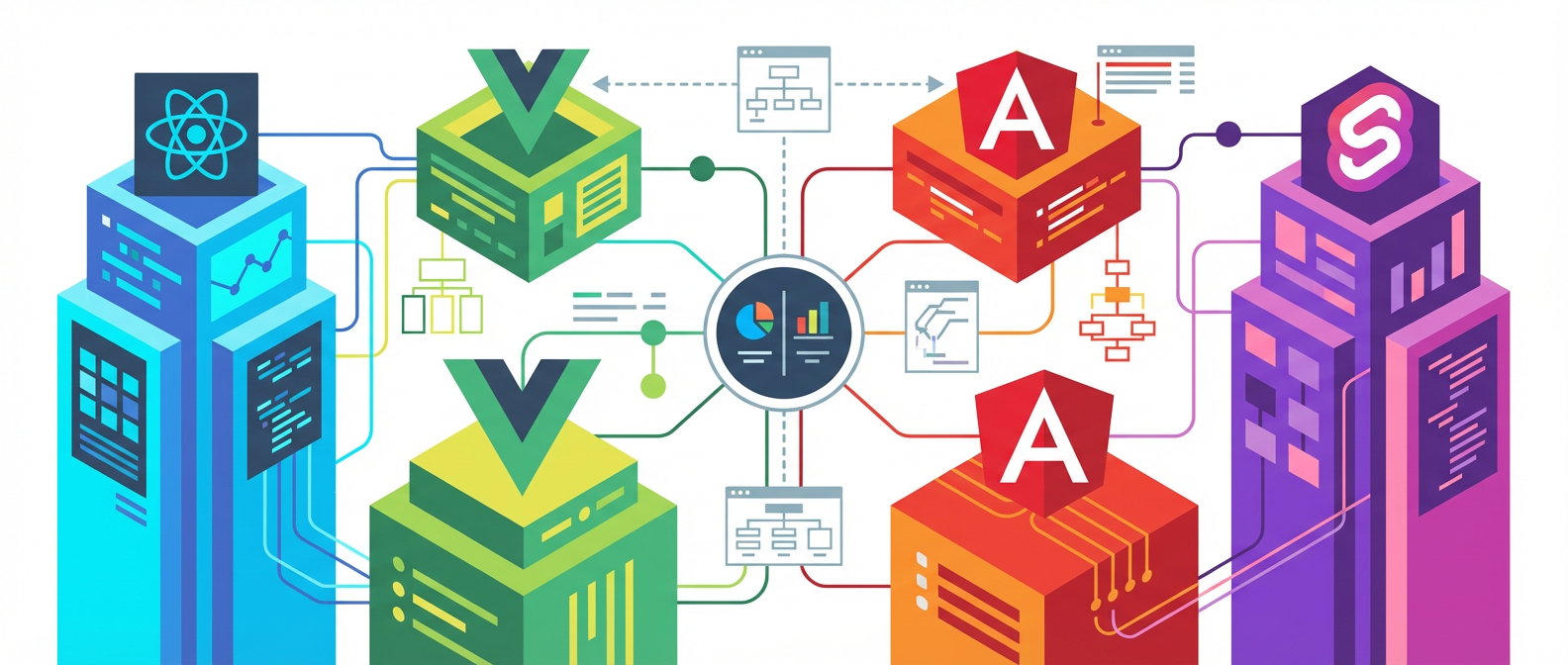
I’ve watched teams spend six months debating React versus Vue versus Angular like they’re choosing a life partner, only to ship a glorified CRUD app that could have been built with vanilla JavaScript and a good night’s sleep. The truth nobody wants to admit is that most framework architecture decisions happen in a vacuum, divorced from the actual problems they’re meant to solve.

The real kicker? We’ve created this elaborate performance where everyone pretends bundle size matters when your app loads 47 different analytics scripts. We obsess over virtual DOM performance while making API calls that would make a dial-up modem weep. The cognitive dissonance is beautiful in its absurdity.

Let’s cut through the architectural evangelism and look at what these frameworks actually do well, where they face-plant spectacularly, and why your choice probably matters less than you think.

React’s Elegant Chaos

React won the mindshare war not because it’s technically superior, but because it made complexity feel manageable. The component model maps beautifully to how developers actually think about UI, even if the implementation sometimes feels like solving a Rubik’s cube blindfolded. JSX looks weird until you realize it’s just JavaScript wearing HTML’s clothes to a costume party.

The ecosystem is React’s secret weapon and its Achilles heel. Need state management? Choose from Redux, Zustand, Jotai, or seventeen other options that all solve slightly different problems. Want to handle forms? React Hook Form, Formik, or roll your own solution with useState and prayer. This flexibility is intoxicating until you’re three months into a project and realize your team has invented their own dialect of React.

Where React truly shines is in large codebases with multiple teams. The component boundaries create natural ownership lines, and the unidirectional data flow makes debugging production issues less like archaeology and more like detective work. The fiber architecture handles complex update scenarios with the grace of a Swiss watch, even when developers treat it like a sledgehammer.

The performance story is complicated. React’s default behavior is to re-render everything and let the virtual DOM sort it out, which works until it doesn’t. Memo, useMemo, and useCallback become your best friends and worst enemies simultaneously. You’ll spend more time optimizing React than you’d like to admit, but at least the tools exist.

Vue’s Deceptive Simplicity

Vue presents itself as the reasonable choice, the framework equivalent of a well-engineered Toyota. It handles the common cases beautifully, has excellent documentation, and won’t surprise you with breaking changes every Tuesday. The template syntax feels familiar to anyone who’s touched HTML, and the reactivity system just works without requiring a computer science degree.

Composition API finally gave Vue the architectural tools it needed for complex applications. Before Vue 3, watching teams try to scale Options API codebases was like watching someone build a skyscraper with Lego blocks. Possible, but painful. The new reactive primitives are genuinely well-designed, offering fine-grained reactivity without the overhead of a virtual DOM.

The trade-off is ecosystem maturity. React’s massive community means someone has already solved your weird edge case and published it on npm. Vue’s smaller ecosystem means more greenfield development, which can be refreshing or terrifying depending on your deadline. The tooling story has improved dramatically with Vite, but you’re still not getting the same level of third-party integration options.

Vue’s real strength is in teams that value convention over configuration. The framework makes reasonable assumptions about how you want to structure your application, and fighting those assumptions feels wrong. This works brilliantly until you need to do something genuinely novel, at which point you’re reading source code and questioning your life choices.

Angular’s Enterprise Theater

Angular is what happens when you take Java architectural patterns and force them into JavaScript’s free-spirited world. The result is either beautiful enterprise-grade structure or an overcomplicated mess, depending on your tolerance for dependency injection and decorators. TypeScript isn’t optional here, it’s the entire point.

The CLI tooling is genuinely impressive. Angular’s build system, testing setup, and code generation capabilities are years ahead of the React ecosystem’s fragmented approach. When everything works, Angular feels like developing in a sophisticated IDE rather than cobbling together webpack configurations and hoping for the best.

Zone.js is Angular’s secret sauce and its performance albatross. Automatic change detection sounds magical until you’re debugging why your component re-rendered 47 times because someone called Date.now() in a loop. OnPush change detection strategy becomes mandatory for any application that values performance over developer convenience.

The learning curve is steep, but the payoff is substantial for large teams. Angular’s opinionated structure means codebases tend to look similar across teams and projects. This consistency is invaluable when you’re onboarding developers or maintaining applications over multiple years. The architecture scales well, assuming you have the budget for senior developers who understand the framework’s philosophical underpinnings.

The Framework Decision That Actually Matters

Here’s the uncomfortable truth: your framework choice will have less impact on your project’s success than your team’s discipline around state management, component boundaries, and testing practices. I’ve seen elegant Vue applications and horrifying React codebases, often built by the same developers six months apart.

The real architectural decision is whether you’re building for today’s requirements or tomorrow’s unknowns. React’s flexibility works for teams that expect significant pivots. Vue’s conventions work brilliantly for teams that understand their domain. Angular’s structure pays dividends for long-lived enterprise applications with multiple development teams.

Performance comparisons are largely academic unless you’re building applications with genuinely complex interaction models. Most web applications spend more time waiting for network requests than rendering DOM updates. Focus on your data loading strategies, caching layer, and bundle optimization before micro-optimizing component render cycles.

The most honest advice I can give is to pick the framework your team can maintain effectively. A well-structured Vue application will outperform a poorly architected React application every time. The framework is just the foundation, the building quality depends entirely on the builders.

What architectural decisions have you regretted most in your frontend projects? I’m genuinely curious about the war stories that shaped your framework preferences, especially the ones that made you question everything you thought you knew about web development.

Why Your REST API Probably Sucks (And How to Fix It Without Rewriting Everything)

The Cargo Cult of RESTful Design

After fifteen years of watching developers religiously append “/api/v1/” to every endpoint while completely missing the point of REST, I’ve concluded that most APIs are about as RESTful as a Windows ME installation. We’ve created a generation of developers who think slapping HTTP verbs on CRUD operations makes them architectural purists, when in reality they’re building glorified RPC calls with better marketing.

Why Your REST API Probably Sucks (And How to Fix It Without Rewriting Everything)

The real problem isn’t that REST is hard to implement correctly. It’s that most teams never bothered to understand what they were actually trying to achieve. They cargo-culted the syntax without grasping the semantics. You end up with endpoints like `POST /api/users/123/activate` instead of `PATCH /api/users/123` with `{“status”: “active”}`, because someone read that POST means “create” in a blog post five years ago and never questioned it again.

Richardson’s Maturity Model exists for a reason, yet I’ve seen enterprise APIs stuck at Level 1 while their architects debate whether to use GraphQL. Before you chase the next shiny framework, maybe consider whether your current API actually follows HTTP semantics. Spoiler alert: it probably doesn’t.

Illustration for Why Your REST API Probably Sucks (And How to Fix It Without Rewriting Everything)

The Idempotency Delusion

Let’s talk about idempotency, because apparently half the industry thinks it means “won’t break if you call it twice.” Wrong. Idempotency means you can call an operation multiple times and get the same result every time, not just that it won’t explode your database. Yet I regularly encounter APIs where `PUT /users/123` increments a login counter or `DELETE /orders/456` sends another cancellation email to the customer.

This matters more than your product manager thinks. When your mobile app retries a failed request because of spotty network conditions, true idempotency means users don’t accidentally charge themselves twice for that premium subscription. When your microservices handle thousands of requests per second with occasional timeouts, idempotent operations let you implement safe retry logic without complex distributed locking mechanisms.

Here’s a simple test: if you can’t safely wrap every API call in a retry loop with exponential backoff, your operations aren’t properly idempotent. Fix this before you scale, or prepare to debug some truly spectacular race conditions at 3 AM when your traffic spikes.

Pagination: The Performance Killer Nobody Talks About

Offset-based pagination is the technical debt that keeps on giving. You know the pattern: `GET /api/posts?page=1000&limit=20` that takes forty seconds to execute because your database has to count and skip 19,980 records. Every team implements it, every team eventually regrets it, yet somehow we keep teaching it in tutorials like it’s best practice.

Cursor-based pagination isn’t just theoretically better, it’s practically essential once you hit any meaningful scale. Instead of asking for page 1000, you ask for the next 20 records after a specific cursor value. Your database can use indexes efficiently, response times stay consistent regardless of offset, and you don’t have to explain to stakeholders why the search results page crashes when users click beyond page 50.

The implementation shift is straightforward: replace `page` and `limit` with `cursor` and `count`, return a `next_cursor` in your response envelope, and update your client code to track cursors instead of page numbers. Yes, it breaks the mental model of “jumping to page 10,” but your users will thank you when the interface actually loads instead of timing out. Sometimes the right technical decision requires breaking a familiar but fundamentally flawed user experience.

Versioning Strategies That Don’t Completely Suck

API versioning brings out the worst in engineering teams. Half want to version in the URL because it’s “explicit,” the other half insist on headers because it’s “cleaner.” Meanwhile, both approaches miss the fundamental question: why are you versioning at all? Most breaking changes happen because teams never designed for extensibility in the first place.

Semantic versioning works well for libraries, but APIs are different beasts. Your v2.1.3 doesn’t mean much when a single field type change can break every client integration. Instead, version by compatibility contract. Major versions for breaking changes, minor versions for backward-compatible additions, and patch versions for bug fixes that don’t change behavior. Document what constitutes a breaking change upfront, because “we added a required field” shouldn’t surprise anyone six months later.

Here’s the part that might upset you: URL versioning actually works better in practice than header-based versioning, despite what the purists say. Developers can see the version in logs, curl commands work without extra headers, and debugging becomes trivial. Yes, it couples versioning to resource identification, but that coupling often reflects reality better than pretending versions are just metadata. Sometimes pragmatism trumps theoretical purity, especially when you’re supporting dozens of client applications with different upgrade cycles.

Error Handling Beyond HTTP Status Codes

HTTP status codes are necessary but insufficient for meaningful error communication. Returning “400 Bad Request” tells me exactly nothing about whether I sent invalid JSON, missing required fields, or data that failed business validation. Yet I regularly encounter APIs where every client error gets the same generic 400 response, leaving developers to guess what went wrong based on context clues.

Structured error responses solve this problem without inventing new protocols. Include an error code that’s stable across versions, a human-readable message that explains what happened, and enough context for clients to either fix the request automatically or present meaningful feedback to users. Something like `{“error”: “VALIDATION_FAILED”, “message”: “Email address is required”, “field”: “email”}` gives clients everything they need to handle the error appropriately.

The error code stays constant even if you change the message text, field validation can highlight specific problems in forms, and your support team can actually help users when they forward error messages instead of just saying “something went wrong.” It’s a small investment that pays dividends every time someone tries to integrate with your API without reading documentation that may or may not exist.

Good API design isn’t about following every best practice you read online. It’s about understanding what constraints your system operates under and making deliberate tradeoffs that optimize for the problems you actually have. What patterns have you found that work well in practice, even if they wouldn’t win any architectural purity contests?